Before you begin
What You’ll Need in Pennsylvania
A quick welcome from The Homeschool Evaluator, plus a simple list of what to have ready. Watch the short video below, then scroll down for the checklist and photo examples.
A Quick Welcome
The checklist
What You’ll Need to Gather
Four things, and none of them take long. Gather them at your own pace — the photo examples are just below.
Everyone homeschools differently, and we get that. Use this as a chance to show what your student did this year. Keep it simple, and before you know it you’ll be done and on your way!
-
Subjects Studied
A brief summary of what your student worked on this year. Nothing formal — even one or two sentences is plenty.
-
Book & Author List
Three (3) titles from your student’s reading this year, with authors. That’s all that’s needed for the evaluation.
-
Student Interview
A quick set of questions for your student. They’re included right on the evaluation form, so you can answer them together as you go.
-
Three to Four Photos
Snapshots of portfolios, materials, and/or projects to upload. Only 3–4 are needed, and the examples below show what works.
Photo examples
4 Simple Photo Examples
These examples show what works. When your photos look like the examples below, our evaluators can review your submission and return it noticeably faster.
Picture 1 of 4
A Daily Log or Calendar Showing Your 180 Days
One photo that shows your attendance for the year — 180 days, or 900 hours (elementary) / 990 hours (secondary). A day-count tally or a filled-in planner both work.
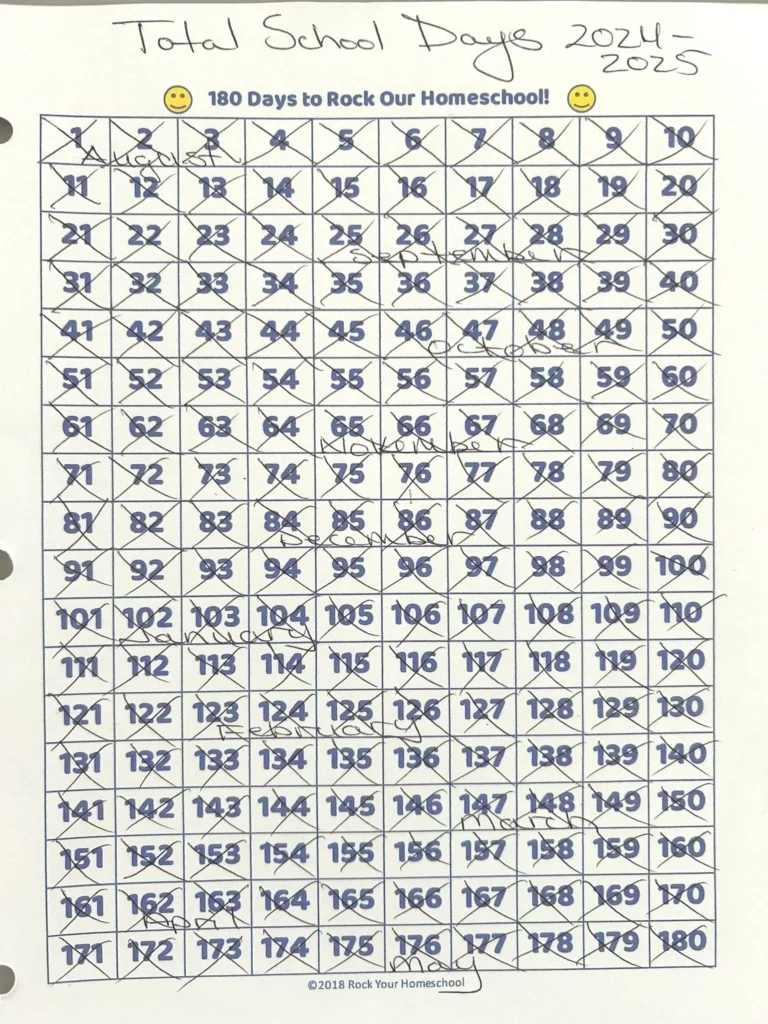
A printable 1–180 tally chart with days crossed off. One clean photo captures the whole year at a glance.
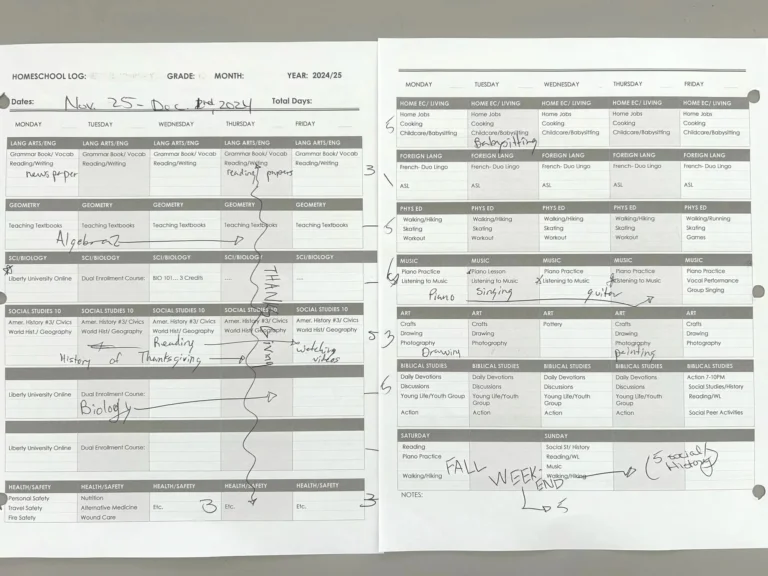
A filled-in weekly planner or calendar showing subjects, lessons, and dates works just as well as a day-count tally.
Picture 2 of 4
A Sample of Books, Materials & Projects
One overhead photo of the books, workbooks, and projects your student used this year. Lay out what you have so titles or project details are visible.
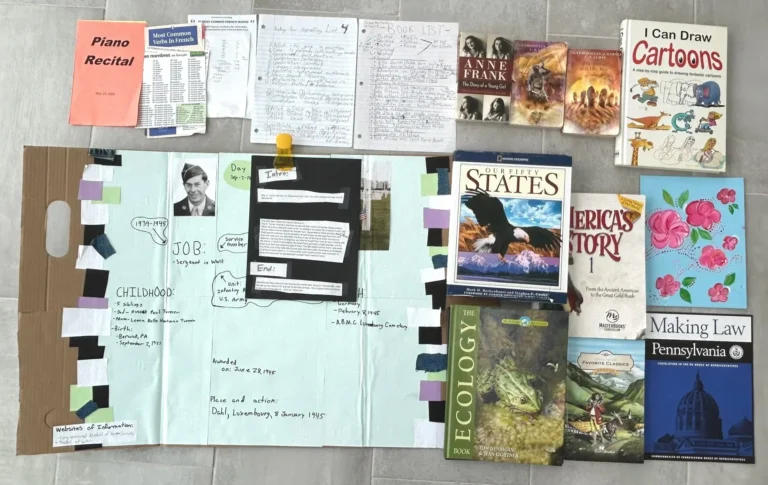
Gather any textbooks, workbooks, or projects your student used or completed. Lay out what you have so titles or project details are visible, then take one overhead photo.
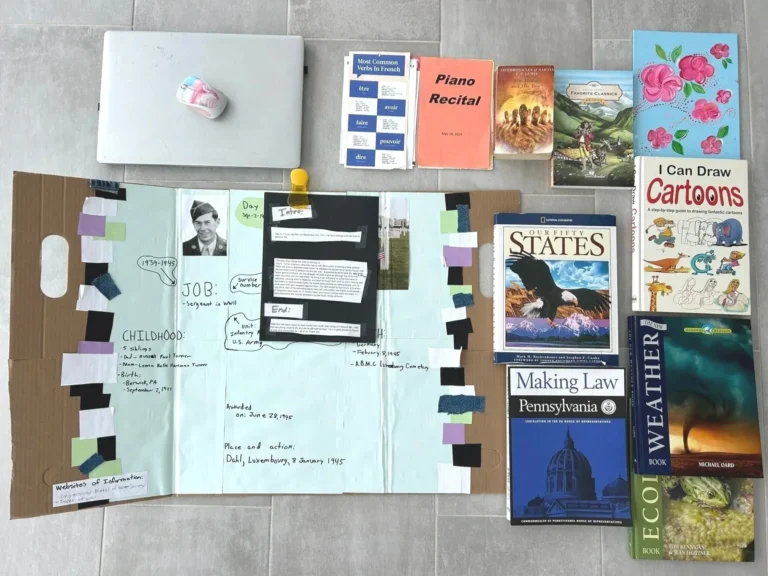
Gather any textbooks, workbooks, or projects your student used or completed. Lay out what you have with the computer or device visible, then take one overhead photo.
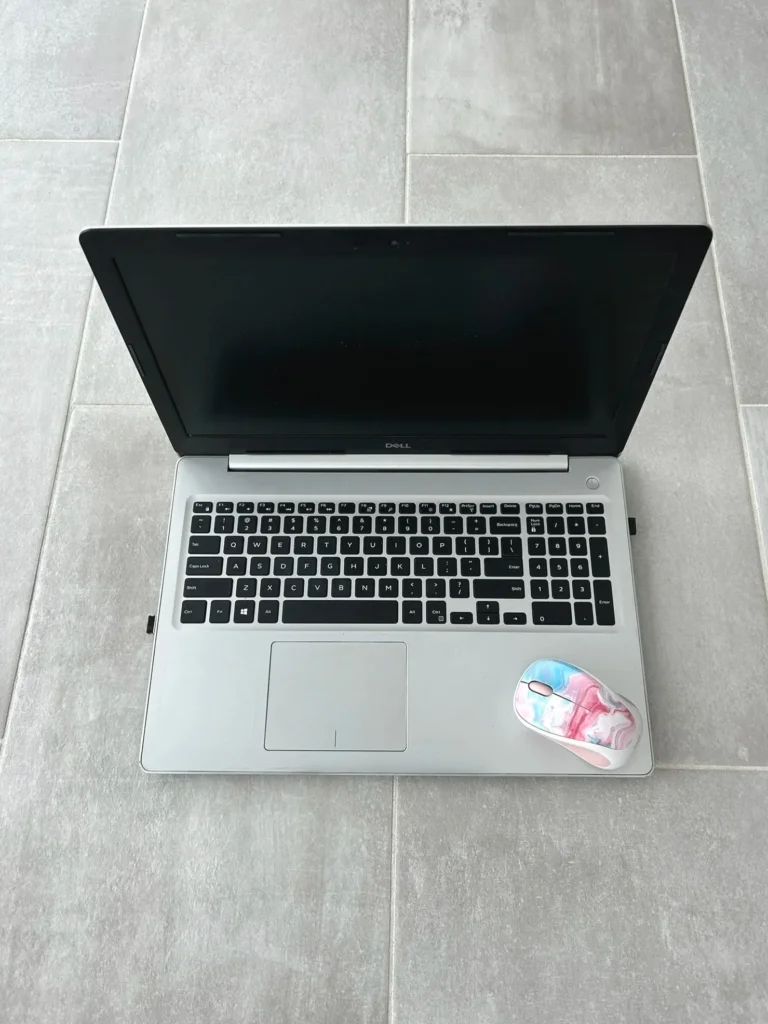
For online-only learners, a clean shot of the laptop and workspace is enough. The portfolio photo will cover the course list and printed work.
Picture 3 of 4
Portfolio Samples and Online Course List
One photo of your student’s portfolio — finished worksheets, assignments, and other completed work. Online learners can include transcripts or progress reports.
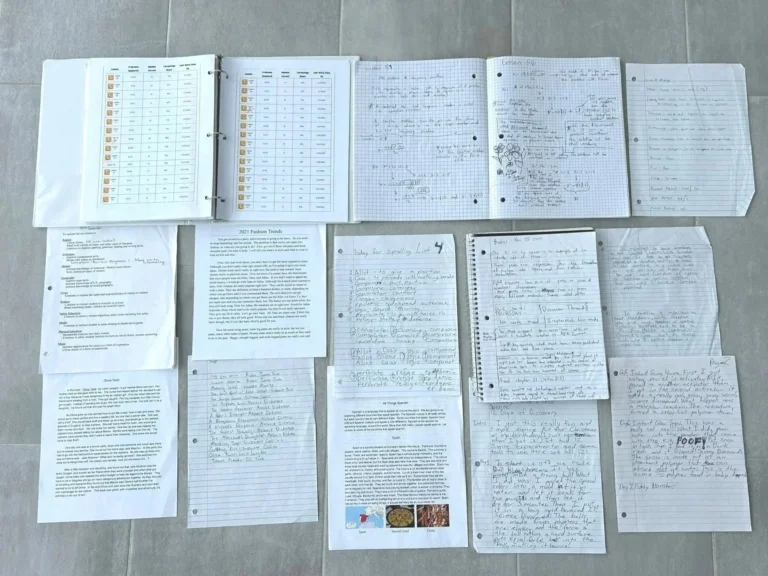
Gather any finished worksheets, assignments, or other completed student work. Spread what you have flat in one frame to show your student’s portfolio of work from the year.
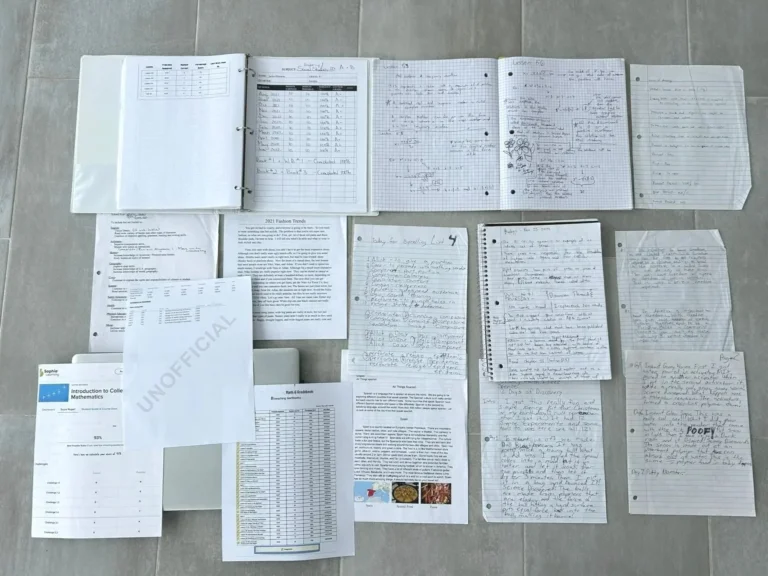
Gather any finished worksheets, assignments, or other completed student work. Spread what you have flat with the computer or device visible in one frame to show your student’s portfolio of work from the year.
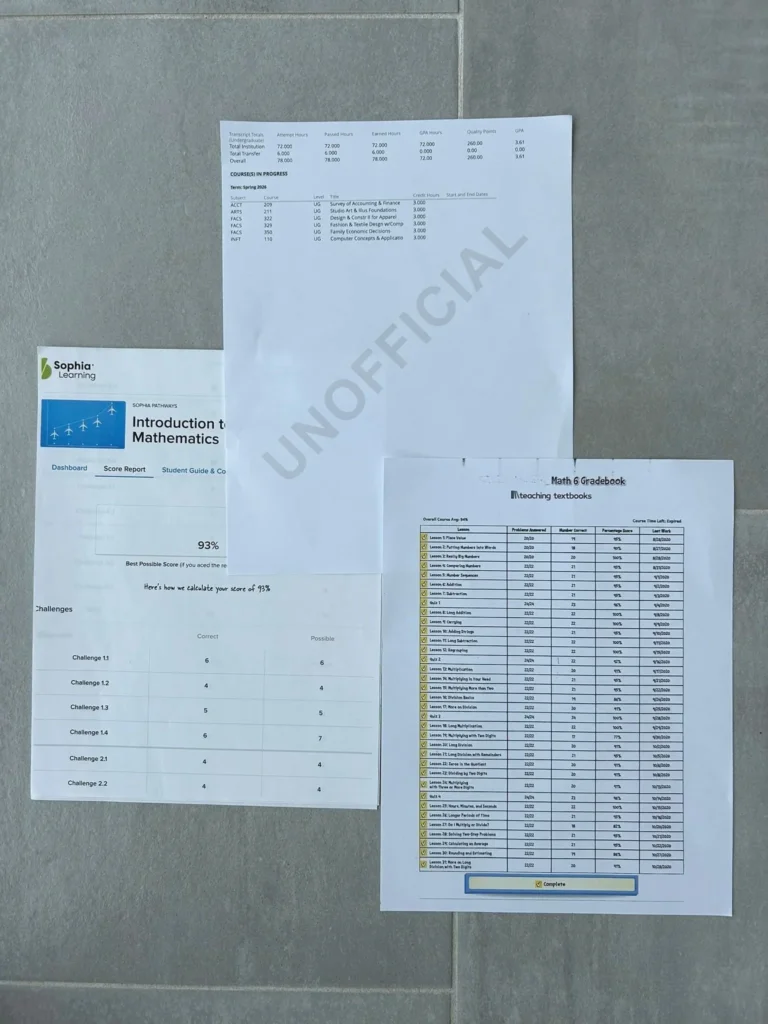
Print the transcript, progress report, and any end-of-course summary from the online platform. One photo of the stack is all that’s needed.
Picture 4 of 4
Standardized Test Scores PA only
Only needed for three grade levels — 3rd, 5th, and 8th grade. If your student isn’t in one of these grades, skip this picture entirely. If they are, upload a photo or scan of the completed score report from any state-approved testing source.
Ready to Begin Your Evaluation?
Gather your photos and book list, then take the next step. Our team keeps the process moving as quickly as possible.